# This is an R code chunk
x <- seq(1, 10)
y <- x^2
plot(x, y, type = "b", main = "Plot of y = x^2", xlab = "x", ylab = "y")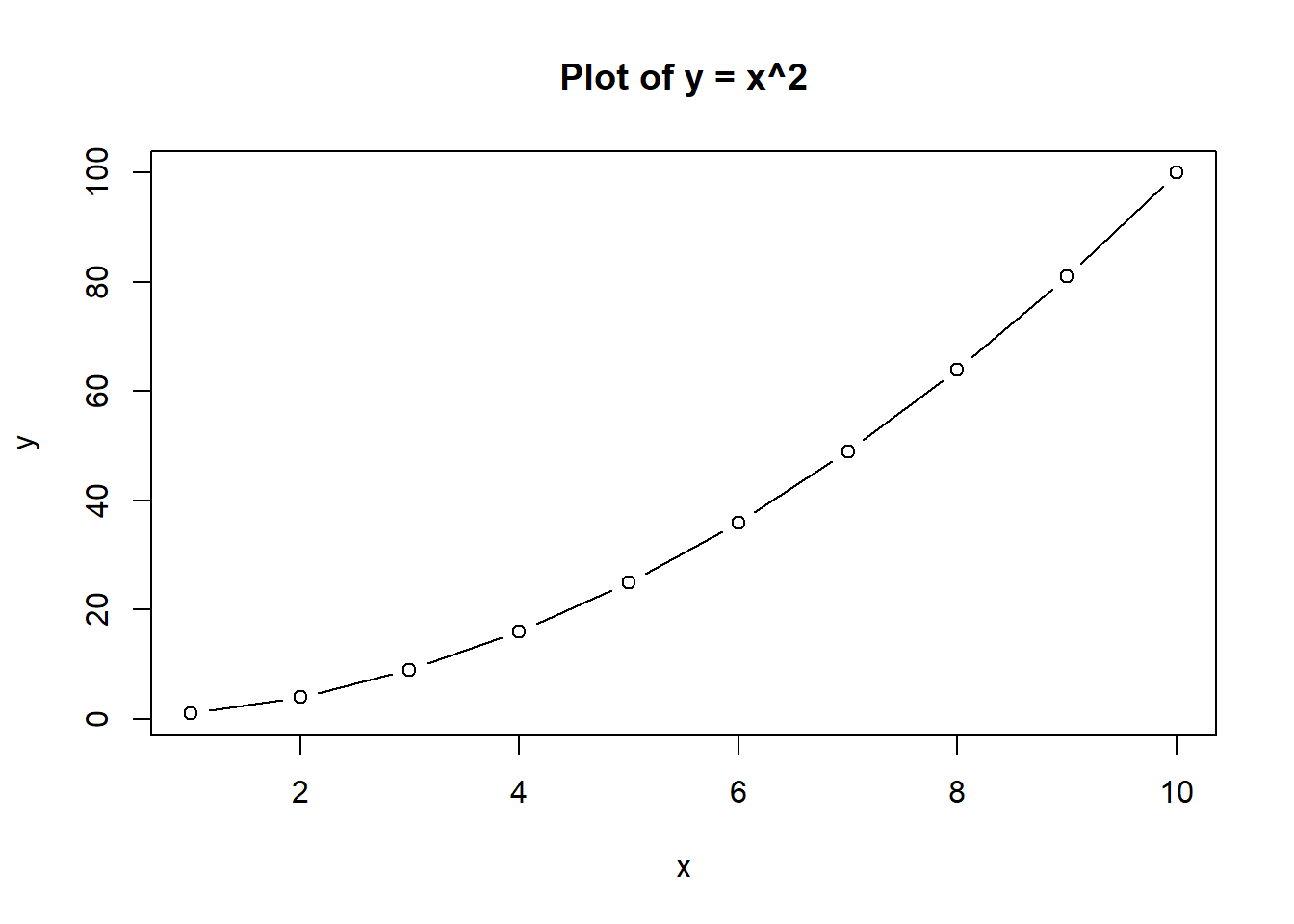
In this unit, we will cover the basics of what a Quarto document is and how to create and render it.
The Quarto software operates on a file called a Quarto document (.qmd). A standard Quarto file (.qmd) is a text document that consists of:
Here is an example of a minimal Quarto document:
---
title: "Simple Quarto Example"
format: html
---

The information above between the `---` lines is called the YAML front matter. It contains metadata about the document, such as the title and output format.

# This is a heading

The text in Quarto documents is formatted using Markdown syntax.

# Here is some code

A defining feature of Quarto is the ability to include executable code chunks within the document. Here is a simple example demonstrating the integration of R code and narrative.

This R code chunk generates a summary of the built-in `mtcars` dataset:

```{r}
summary(mtcars)
```
When you render this Quarto document, the R code will be executed, and the resulting summary statistics will be included in the output document.
As in the previous unit, start a new Quarto document in Positron and replace the content with the example above. After entering this code into the editor and saving it as simple.qmd, you can render it by typing quarto render simple.qmd into the terminal prompt (or use the Preview button.) An HTML file displaying your results will be created.
Quarto uses Markdown for formatting text. Markdown is what is called a markup language that allows you to format text using simple symbols. For example: - # for headings - **bold text** for bold text - *italic text* for italic text - Lists using - or * for unordered lists and numbers for ordered lists
You can create Quarto documents that do not contain any code. However, a nice feature of Quarto is that it allows the combination of text and code, with code being executed during rendering and results being inserted into the final document. Code chunks are defined using triple backticks followed by the language identifier (e.g., {r} for R code):
Add this code chunk to the Quarto document above
```{r}
# This is an R code chunk
x <- seq(1, 10)
y <- x^2
plot(x, y, type = "b", main = "Plot of y = x^2", xlab = "x", ylab = "y")
```
Once you render it, you should see the code and the resulting plot in the output document, like this:
# This is an R code chunk
x <- seq(1, 10)
y <- x^2
plot(x, y, type = "b", main = "Plot of y = x^2", xlab = "x", ylab = "y")
The YAML front matter is a section at the very top of a Quarto document enclosed by --- lines. It contains metadata about the document and specifies how the document should be rendered. At a minimum, you should specify a title and output format. You can add all kinds of additional information to a YAML. That information controls various aspects of the document rendering and appearance.
The starting point or input for Quarto is always one or multiple Quarto documents (.qmd files). From these source files, Quarto can generate output in various formats, including HTML, PDF, Word, and more.
For instance, if you want to create a Word document instead of HTML output for the example above, you would change the YAML from format: html to format: docx. Try doing that and re-rendering the document. You should now get a Word document as output instead of an HTML file. You should be able to find the word document in the same folder where your Quarto document is located. If fully configured, Positron might also give you the option to open the Word document.
Similarly, if you want to create a PDF document, you would change the YAML to format: pdf. Note that creating PDF documents requires a LaTeX installation on your computer. If you don’t have LaTeX installed, Quarto will give you an error when you try to render to PDF. If you installed tinytex as explained in a previous unit, you should be able to produce a pdf file as output. Give it a try.
This unit introduced the basics of Quarto documents, including their structure, Markdown syntax, code chunks, and YAML front matter. You learned how to create and render Quarto documents in different output formats such as HTML, Word, and PDF.
Computation section of the Quarto Guide.Documents section of the Quarto Guide is a good starting point.Where is the YAML front matter located in a Quarto document?
YAML front matter appears at the top of the file between --- lines.
How do you define an executable code chunk in a Quarto document?
Code chunks start with triple backticks and a language identifier, such as {r}.
How do you set a Quarto document to render as a Word file?
Setting format: docx in the YAML front matter renders a Word document.
Source and Visual mode in the editor.